



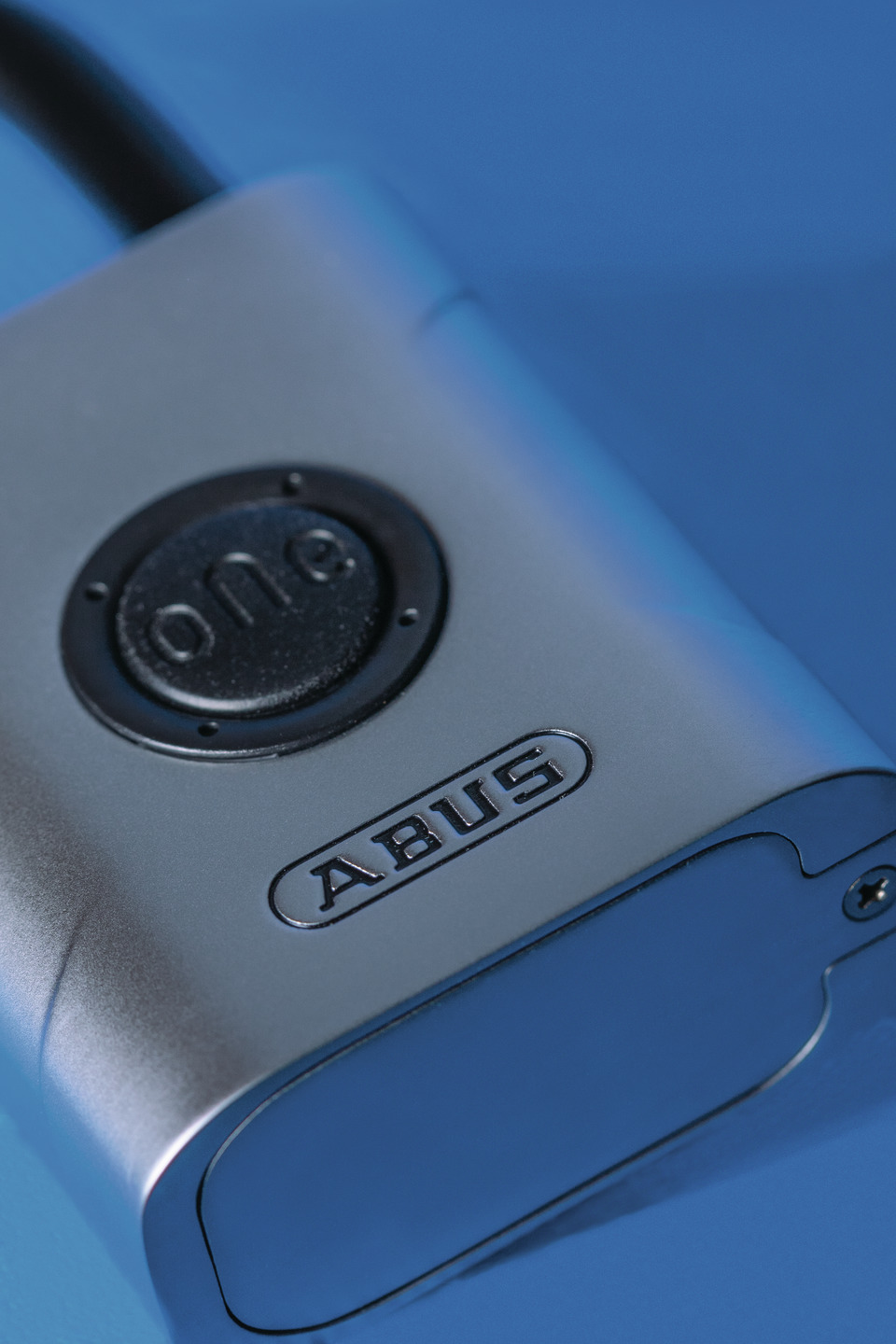
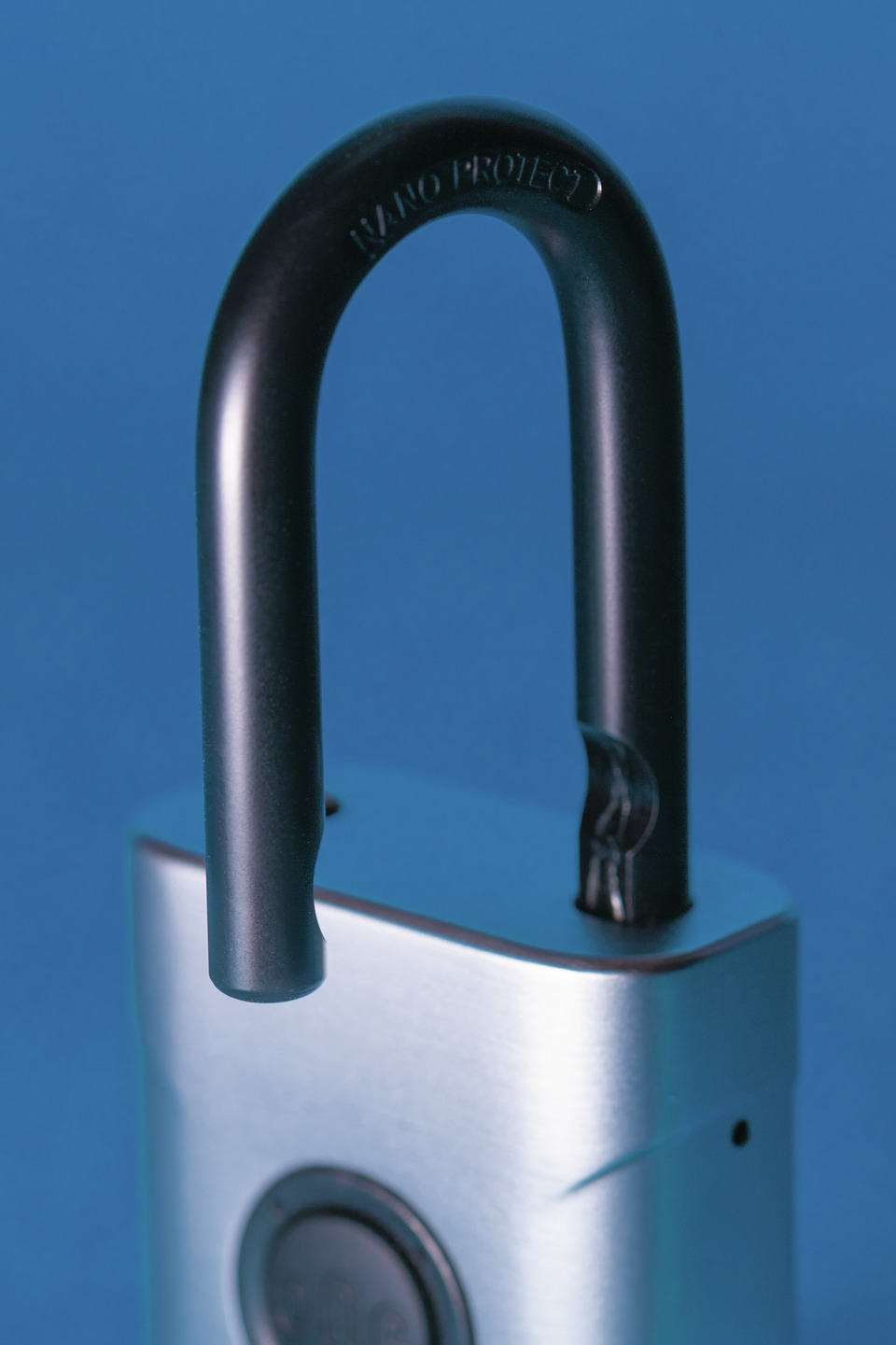
- Lock body made of coated die-cast zinc
- IP certification IP66 & IP68 (dustproof and protected against water jets and short-term submersion)
- Hardened Nano Protect™ shackle
- Bluetooth® standard V5.2 (downwardly compatible to 4.0)
- Free ABUS One app for smart operation
- CR2 battery included
- Double bolted locking mechanism
- Automatic locking
- Spring-loaded shackle for automatic opening

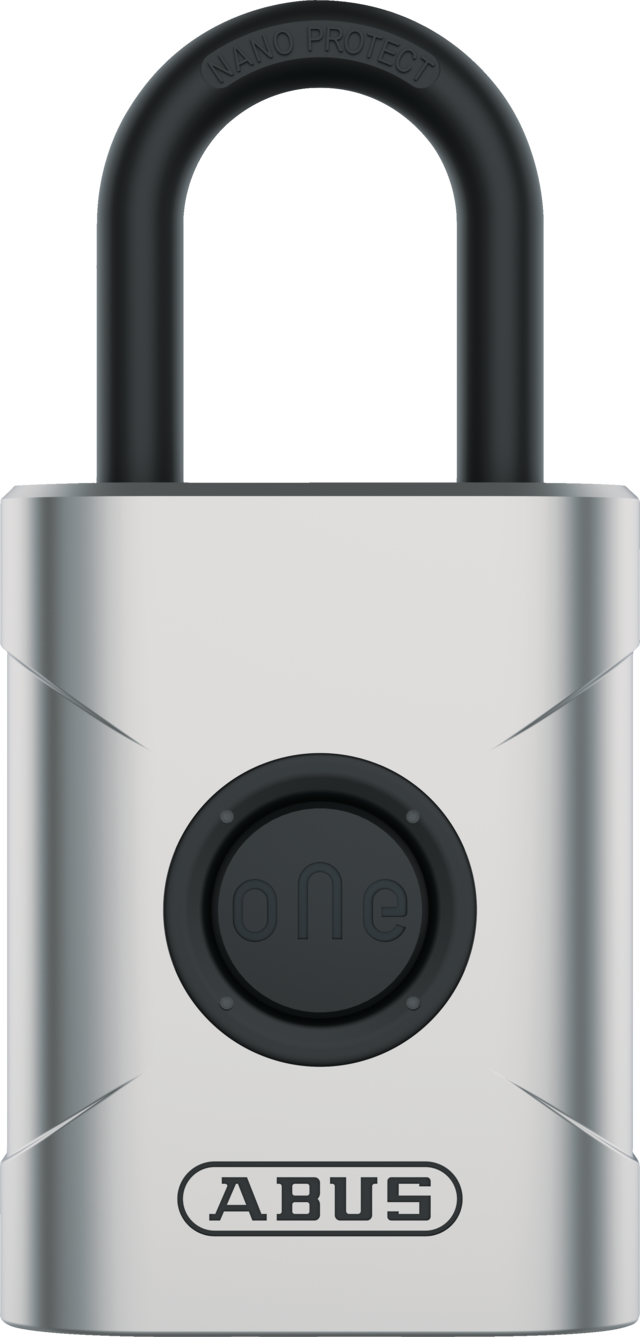
EVEROX™ One 61
Electronic padlock with automatic locking for indoor and outdoor use. Easy operation and keyless opening with the ABUS One app.
Awards & Partners

Technologies
Operation and use
- For securing medium-value items when there is a medium theft risk
- Use in conjunction with smart device and ABUS One app
- Suitable for indoor and outdoor use
Variants
- Sizes: 45 and 50 mm
Downloads
General downloads:
- Data sheet
- Operating instructions - EVEROX One 61
- Declaration of conformity - EVEROX™ One 61 / YARDO One
- UK-PSTI Declaration of Conformity - Everox One
abus.design.pdp.tabs.downloads.app_downloads:
FAQ
Questions about the Keycard
What do I need the Keycard for?
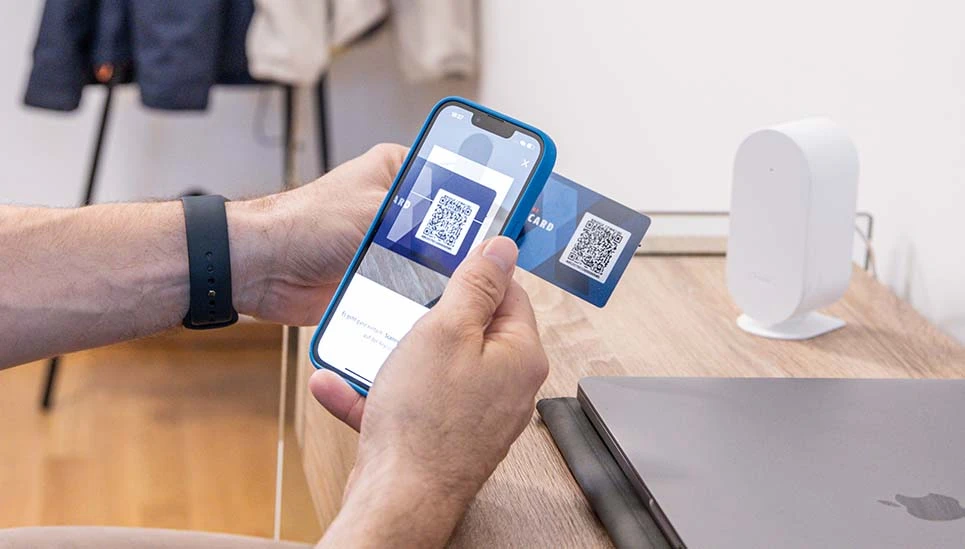
The Keycard is proof of legitimisation and is necessary for product integration in the app.
It is also required for other actions:
Firmware updates: You activate firmware updates with the Keycard - so your product remains secure and you benefit from improved functions.
Reset and delete: Use the Keycard to securely reset or delete your product.
What happens if I lose my Keycard?
The Keycard serves as an important proof of identity that identifies you as the owner of your product. If you lose it, you can still use your product as normal, but important functions such as firmware updates, resetting or logging in again are no longer possible. It is not possible to reproduce the Keycard.
Tip: Save your Keycard easily and securely via the ABUS One app in our ABUS One portal: one.abus.com.
How do I secure my Keycard?
Keep your physical Keycard in a safe but easily accessible place. You can also use the ABUS One app to easily and securely store a digital copy of your Keycard in our ABUS One portal.
How can I deposit the Keycard online?
You can store the Keycard digitally either when you first use your ABUS product or later via the lock settings in the app. Please note that you will always need the ABUS One app to store your Keycard in the ABUS One portal.
How can I retrieve the Keycard online?
You can call up the Keycard for your product on the product detail pages in the ABUS One portal. A security PIN will be sent to the email address linked to your ABUS One account.
Who can retrieve my digital Keycard?
Only product owners who are in possession of the physical Keycard can create the digital Keycard via the ABUS One app and retrieve or delete it in the ABUS One portal.
Can I transfer my digital Keycard to another person digitally?
No, it is not possible to transfer the digital Keycard.
Can I delete my stored Keycard?
Yes, you can either display or delete the stored Keycard on the product detail page of the portal. A security PIN will be sent to the email address associated with your ABUS One account.
Who can reset an ABUS One product?
Only those who have administrator rights and access to the Keycard can reset an ABUS One product.
Can I control products in the ABUS One Portal, e.g. send invitations?
No, active control of ABUS One products takes place exclusively via your ABUS One app. However, you can either display or delete the stored digital Keycard in your ABUS One portal. To do this, a security PIN will be sent to the email address associated with your ABUS One account.
Can I disconnect from the ABUS One product in the ABUS One portal by clicking on a button?
No, "product commands" can only be issued via the app.
EVEROX™ One start-up
How do I activate the EVEROX One smart padlock?
The padlock is ready for use as soon as you have inserted the CR2 battery included in the scope of delivery. To do this, you must undo the screw on the battery compartment cover on the underside of the lock and tighten it again after inserting the battery.
In the next step, switch to your smartphone and then to the ABUS One app. In the app, click on "Add new ABUS device". You can register your EVEROX One in the app by scanning the QR code on the Keycard.
Note: The app requires registration on first use. Follow the steps in the app.
Can I also use the EVEROX One outdoors?
You can use the electronic padlock outdoors on the garden shed or garden gate etc. down to -10° Celsius without any problems.
The padlock has IP66 and IP68 certification, meaning it is dustproof and protected against water jets and short-term immersion.
Function and operation of the EVEROX™ One
How do I open and close the EVEROX One?
When the lock is opened, the shackle automatically pops out of the locking mechanism. You have three options for opening the smart padlock:
- You can open the lock by first waking it up by pressing the rubberised button. All you need to do then is touch the lock symbol in the ABUS One app.
- With the Easy Access mode ("hands-free"), you only need to press the button on the lock as soon as your smartphone is within range of the lock and the ABUS One app is open (at least) in the background – the shackle will then open.
- You can also use separately available accessories and open the EVEROX One with a remote control, for example.
To close the electronic padlock, simply press the shackle into the lock body. The lock locks automatically.
How exactly does the Easy Access mode (hands-free) work?
If you have switched on Easy Access mode in the lock settings of the ABUS One app, you can leave your smartphone in your pocket to open the padlock. To open it, simply press the button on the EVEROX One.
To do this, the smartphone must be within range of the lock with the Bluetooth® connection switched on and the ABUS One app active at least in the background.
Can I also open the EVEROX One with a key?
No, the smart EVEROX One does not need a key.
Do I always need my smartphone to open it?
To open the padlock, you need a smartphone, smartwatch or the separately available remote control. A smartphone is essential for setting up the EVEROX One.
Can other people also open the EVEROX One?
Up to 28 users can manage an EVEROX One and open the smart padlock via the ABUS One app.
You can invite other users from the app and grant them access to your padlock.
Can I set a time when the lock cannot be opened?
You can specify individually for each user whether they have permanent or time-limited access.
Battery lifetime and battery replacement
How long does a battery charge last?
Battery lifetime depends on many factors, such as frequency of use, temperature and others.
With normal use, you can expect a battery lifetime of two years or up to 10,000 openings with one battery charge.
How do I know when I need to replace the battery?
If the battery charge is running low, an acoustic signal sounds before the lock is opened and the LEDs flash yellow twice.
How do I change the battery?
To do this, open the battery compartment at the bottom of the lock body with a screwdriver, remove the old battery and replace it. When fitting the battery compartment cover, you should ensure that the rubber seal does not slip.
What happens if the battery in my smart padlock is completely flat?
At first you will not be able to open the lock. However, simply replace the battery and the EVEROX One will continue to function as before. All settings remain saved.
Questions about the ABUS One app
Do I need to update the EVEROX One and the ABUS One app?
You receive information about app updates via the App Store and the Play Store. Within the ABUS One app, you will receive information about firmware updates for the app and your devices linked to the app.
You can also check for an update in the lock settings when you are connected to the lock.
We recommend that you install the updates as soon as possible to ensure the problem-free functionality of the app and components.
Can I operate several smart padlocks with the app?
Yes, you can manage and control a large number of EVEROX One or other ABUS One products at the same time via the ABUS One app.
Where can I find more answers about the ABUS One app?
You can find information and answers about the ABUS One app here: FAQ about the ABUS One System
Recycling
We have summarised for you which disposal information is important in your country.





Specifications
| Battery - quantity: | 1 |
|---|---|
| Locking type: | Bluetooth® |
| IP protection class: | IP66 & IP68 |
| colour: | silver |
| Horizontal clearance b: | 20 mm |
| Shackle diameter d: | 6,5 mm |
| Height f: | 95 mm |
| Keyed alike: | No | Design: |
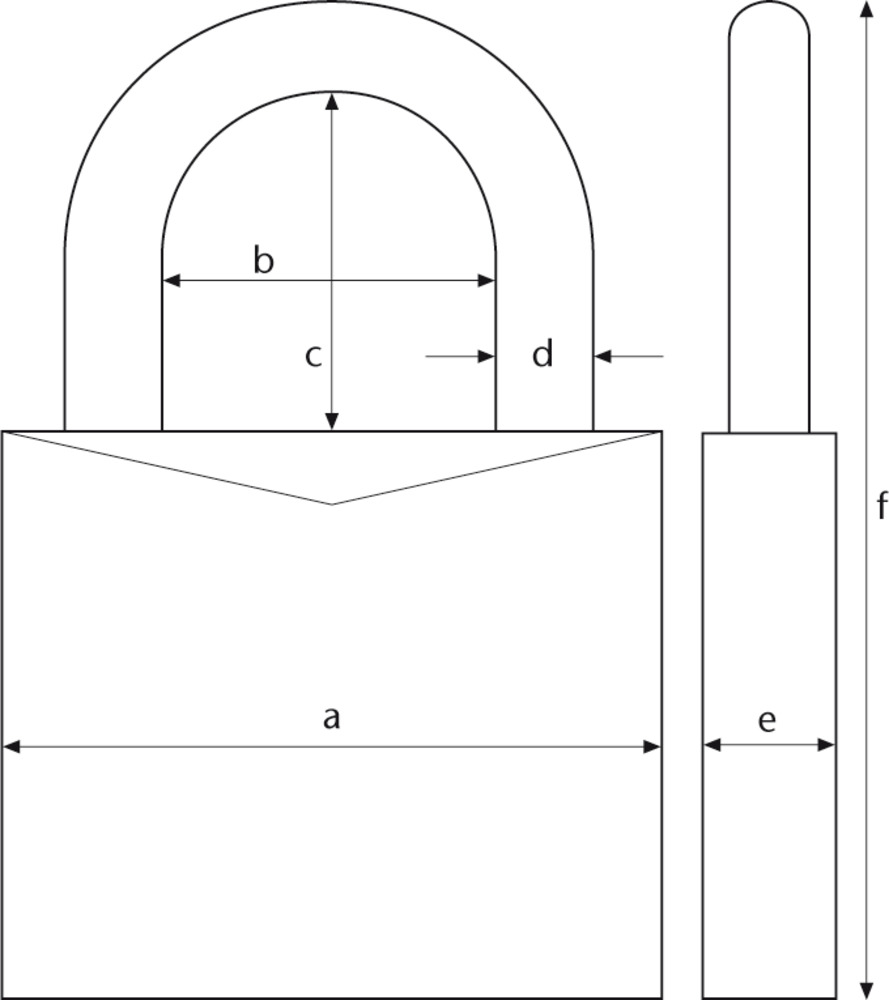
Technical drawing |
| Bluetooth standard: | V5.2 |
|---|---|
| Battery – Type: | CR2 |
| Security card: | No |
| Width a: | 45 mm |
| Vertical clearance c: | 30 mm |
| Depth e: | 23 mm |
| Weight: | 310 g |
| Security Level Home Security: | 6 |
