

Recently searched

    Frau hält Smartphone mit geöffneter ABUS One App in der Hand während vor ihr eine Keycard und eine Bridge One auf dem Sideboard stehen © ABUS

    SWITCH NOW The HomeTec Pro app is becoming ABUS One

    The HomeTec Pro app will be removed from app stores at the end of April 2026 and replaced by ABUS One. If you are still using the HomeTec Pro app, now is the time to switch.

    What you can expect with ABUS One:

    • Modern, future-proof security standards
    • Improved user experience
    • New features
    • Attractive design
    • A wider range of compatible ABUS devices
    • Compatibility with selected smartwatches

    Step into the future of smart security and start using the ABUS One app to control your HomeTec Pro devices today.
    Switch now

    The HomeTec Pro app has served you reliably, but from the end of April 2026 it will make way for a new app that unlocks even more possibilities: ABUS One.

    • Discover additional smart products, from motorcycle locks to patio door drives
    • Control your devices using your smartwatch
    • Enjoy an optimized, modern design
    • Experience trusted digital security powered by ABUS SmartX™ technology
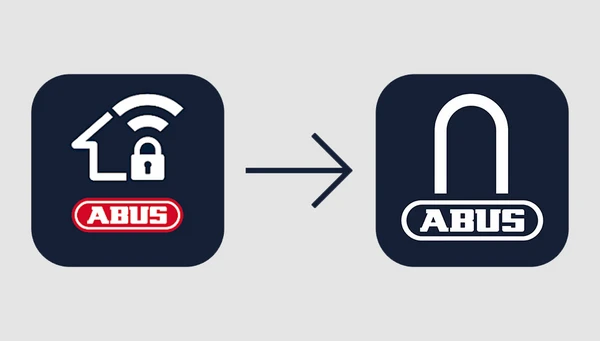
    HomeTec Pro app logo with an arrow pointing to the ABUS One app logo © ABUS

    With ABUS One, your keys are not just stored in a single app — it offers much more. Enjoy the benefits of a single smart product or create a fully customized smart setup with multiple devices to suit your needs.

    Your advantages when using a BRIDGE One:

    • Connect your HomeTec Pro product to your smart home system and voice assistant
    • Control your smart device remotely
    • Access the event log anytime, anywhere to see who used your devices and when
    • Manage access permissions remotely at any time

    Switch now

    If you are currently using a Bluetooth® Wi-Fi bridge CFW3100, you can exchange it for the new BRIDGE One free of charge.

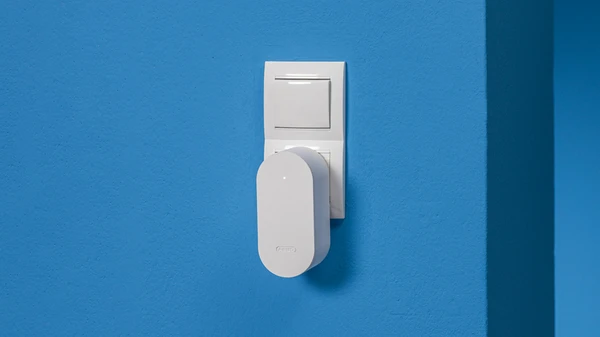
    BRIDGE One in white plugged into a socket on a blue wall © ABUS

    The CFW3100 bridge cannot be integrated into the ABUS One app. The new BRIDGE One offers all existing functions, along with a modern design and the ability to integrate additional ABUS One products into your smart system.

    To request a free exchange, please contact us via our contact form

    Further information can be found in the FAQ.

    All smart products (except the CFW3100 Wi-Fi bridge) that you previously controlled with the HomeTec Pro app can be transferred to the ABUS One app.

    With just a few clicks, you can integrate your HomeTec Pro Bluetooth® CFA3100 door lock drive or your Bluetooth KeyGarage (or KEYGARAGE One) into the ABUS One app. This also applies to accessories such as the fingerprint scanner, keypad, and remote control.

    What you need for the migration:

    1. The latest version of the HomeTec Pro app (available in app stores until the end of April 2026)
    2. The keycards for your registered products
    3. The latest version of the ABUS One app

    It’s that simple:

    1. Update your HomeTec Pro app to the latest version
    2. Open the HomeTec Pro app
    3. Click “Migration to ABUS One app” in the main menu
    4. Follow the instructions within the app
    5. After migration, log in to the ABUS One app using your credentials

    Migration FAQs

    You can migrate the HomeTec Pro Bluetooth® CFA3100 and the Bluetooth KeyGarage (or KEYGARAGE One) to the ABUS One app in just a few clicks.

    If you own a HomeTec Pro Bluetooth® Wi-Fi bridge CFW3100, please note that it cannot be migrated. However, we offer a free exchange for the new BRIDGE One, which enables remote control and management via the ABUS One app.

    To request an exchange, please contact us via this form

    The Bluetooth® Wi-Fi bridge CFW3100 is not compatible with the ABUS One app and cannot be used with it.

    To ensure you can continue using all features, we offer a free replacement with a new BRIDGE One.

    Your benefit: The replacement is completely free of charge. With the new BRIDGE One, you retain all existing functions and can expand your system with additional compatible ABUS One products.

    To request an exchange, please contact us via this form

    Accessories such as the keypad, remote control, or fingerprint scanner that are paired with your device will continue to function as usual after migration. All settings and permissions will also be transferred.

    If you cannot find your keycards, please contact our customer support via this form

    Need help?

    Our customer service team will be happy to assist you:

    Contact

    Questions about the ABUS One app

    Security is ensured through two-factor authentication during login and the proven ABUS SmartX technology used in ABUS smart locks and drives. All data is encrypted and transmitted via a secure Bluetooth® connection.

    In addition to the keycard, registration with two-factor authentication further enhances app security.

    The app currently works with Apple smartwatches and Samsung devices running the latest operating system.

    ABUS One offers a range of smart products. Turn your patio door into a main entrance with the WINTECTO One window drive, or secure your bike with the BORDO One. From electronic door cylinders to smart padlocks, ABUS One brings convenient, reliable security to your everyday life.

    Learn more about our solutions for home and on the go:

    Discover ABUS One

    Works with ABUS One
    Illustrations and products (WINTECTO, LOXERIS, EVEROX, BORDO One) against a blue background © ABUS

    *Legal notice:
    The Bluetooth® word mark and logos are registered trademarks owned by Bluetooth SIG, Inc. and are used by ABUS under license. Other trademarks and trade names are the property of their respective owners.

    Loading ...